

Optimise Your Business Website for Local Search After Google Updates
August 5, 2026
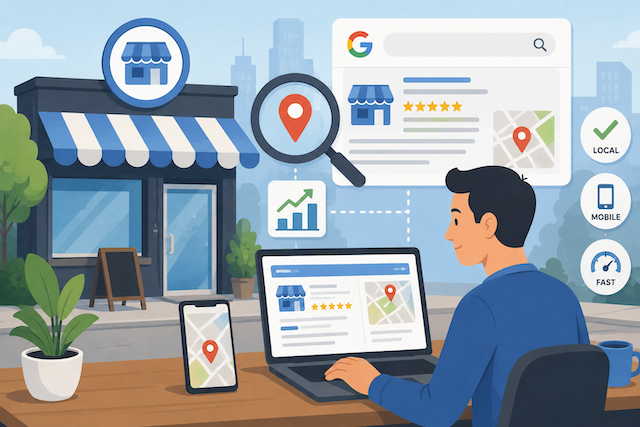
Learning how to optimise your business website for local search after Google algorithm updates starts with auditing your Google Business Profile for accuracy, then strengthening your local content, reviews, and technical foundations to match Google’s latest ranking signals. The businesses that recover fastest treat updates as a signal, not a crisis. They stay calm. They double down on genuine relevance and trust instead of panicking.
Key Takeaways
- After a Google algorithm update, your first move should be checking your Google Business Profile for accuracy in name, address, phone number, and business categories.
- Google’s local ranking relies on three core factors: relevance, distance, and prominence, and updates typically adjust how each is weighted.
- Consistent NAP (Name, Address, Phone) citations across the web remain one of the most reliable local ranking signals as of 2025.
- Genuine, recent customer reviews carry increasing weight, with Google rewarding businesses that respond to them consistently.
- Technical health matters — slow-loading, non-mobile-friendly sites lose local visibility faster after core updates.
- Recovering local rankings usually takes several weeks to a few months, not days, so patience and consistency win.
Why Do Google Algorithm Updates Affect Local Search Rankings?
Google algorithm updates change how the search engine weighs ranking signals. This can shift where your business appears in local results overnight. Local search is especially sensitive. It blends organic ranking factors with location signals. These include your Google Business Profile and your proximity to the searcher.
Here’s what actually happens in practice. After a core update rolls out, you might drop from the top three in the map pack to page two. This isn’t because you did anything wrong. It’s because Google recalibrated how it values reviews, content depth, or citation consistency.
Google runs thousands of updates each year. But the core updates, released periodically, are the ones that cause the biggest visibility swings for local businesses.
The good news? Updates rarely punish good businesses. They reward relevance and trust more aggressively. If your site slipped, it usually means a competitor is now demonstrating those qualities better than you.
What Are the Core Factors Behind Local Search Rankings?
Google ranks local businesses using three primary factors: relevance, distance, and prominence. Understanding these helps you focus your recovery efforts where they matter most.
- Relevance — how well your business matches what someone is searching for. This is driven by your categories, services listed, and website content.
- Distance — how close your business is to the searcher’s location or the location named in their query.
- Prominence — how well-known and trusted your business is. Google measures this through reviews, citations, backlinks, and your overall web presence.
You can’t change your physical distance from a searcher, but you have full control over relevance and prominence. That’s where post-update optimisation pays off.
When an update hits, ask yourself: has a competitor added more detailed service pages, earned more reviews, or built stronger local citations? Nine times out of ten, that’s the gap you need to close.
How to Optimise Your Business Website for Local Search After Google Algorithm Updates: The Audit
Start your recovery with a structured audit that checks your profile, content, technical health, and reputation signals. Working through this in order prevents you from wasting time on fixes that won’t move the needle.
- Verify your Google Business Profile. Confirm your business name, address, phone number, hours, and categories are all correct and complete. Even a small mismatch can hurt rankings.
- Check your NAP consistency. Search for your business across directories and confirm your Name, Address, and Phone number match everywhere, character for character.
- Review your local content. Look at whether your service and location pages answer the actual questions customers ask.
- Test your site speed and mobile experience. Run your key pages through a performance tool and fix anything flagged as slow or unstable.
- Assess your reviews. Check the volume, recency, and your response rate. Gaps here are common after updates that emphasise trust.
- Analyse your competitors. See who’s now ranking above you and identify what they’re doing differently.
If you want a deeper framework for this process, our guide on how to recover lost SEO traffic after a website migration covers audit principles that apply equally to algorithm recovery.
Why Your Google Business Profile Comes First
Your Google Business Profile is the single most influential asset for local search, and it should always be your first stop after an update. It directly feeds the map pack — the three local results that appear above organic listings — where most local clicks happen.
Research suggests that many consumers read online reviews for local businesses before making a decision, which makes your profile’s review section a genuine ranking and conversion lever.
Here’s what to prioritise on your profile:
- Complete every field. Google rewards fully filled profiles. Add your services, products, attributes, and a detailed business description.
- Choose the right categories. Your primary category should be the most accurate description of your core business. Add relevant secondary categories.
- Post regularly. Google Posts signal an active, legitimate business. Even a monthly update helps.
- Keep photos fresh. Businesses with current, quality photos tend to get more engagement, which reinforces prominence.
For a complete walkthrough, our post on optimising your Google Business Profile breaks down each section in detail.
How Do Reviews Influence Local Rankings After an Update?
Reviews influence both your visibility and your click-through rate, and Google increasingly rewards businesses with recent, authentic reviews and consistent responses. After updates that emphasise trust signals, a stale review profile can be the reason you slipped.
What matters isn’t just star rating. In practice, Google looks at:
- Volume — a steady stream of new reviews signals an active business.
- Recency — a five-star average from three years ago carries less weight than fresh feedback.
- Response rate — replying to reviews, positive and negative, shows engagement.
- Keyword relevance — reviews that naturally mention your services and location add contextual relevance.
Don’t buy or fake reviews. Google’s systems are good at detecting patterns, and a purge can wipe out your rankings entirely. Instead, build a simple system for asking happy customers to leave honest feedback.
Our guide on the power of Google reviews for local SEO explains how to build that review flow without feeling pushy.
Strengthening Your Local Content for Relevance
Local content tells Google exactly what you do and where you do it, making it central to the relevance factor. After an update, thin or generic content is often the weak point that costs businesses their rankings.
The businesses that recover fastest have content that genuinely helps local searchers. That means:
- Dedicated service pages — one page per core service, each answering the questions customers actually ask.
- Location pages that add value — not just a city name stuffed into a template, but real information about how you serve that area.
- Locally relevant blog content — answering questions specific to your area or industry.
Avoid the common mistake of creating dozens of near-identical location pages. Google treats these as thin content, and they can drag your whole site down. Quality beats quantity every time.
If you serve multiple areas, our guide on near me search SEO in competitive markets shows how to build location relevance without triggering thin-content penalties.
The Technical Foundations That Protect You From Updates
Technical SEO health — site speed, mobile-friendliness, and clean structure — acts as a buffer against ranking drops during core updates. Google has confirmed that page experience is a ranking signal, and it becomes more decisive when other factors are close.
Here’s a quick comparison of what strong versus weak technical health looks like in local search:
- Page load speed
- Strong (Protected): Under 2.5 seconds
- Weak (At Risk): Over 4 seconds
- Mobile experience
- Strong (Protected): Fully responsive, no tap issues
- Weak (At Risk): Text too small, buttons cramped
- Site structure
- Strong (Protected): Clear, logical, crawlable
- Weak (At Risk): Orphan pages, broken links
- Schema markup
- Strong (Protected): Local business schema present
- Weak (At Risk): No structured data
- HTTPS security
- Strong (Protected): Secure across all pages
- Weak (At Risk): Mixed or missing HTTPS
According to Google’s Core Web Vitals guidance, metrics like loading speed and visual stability shape how Google assesses page experience. Pages that fail these can lose ground in competitive local results.
Adding structured data helps too. Local business schema tells Google your address, hours, and services in a format it reads perfectly. Our post on what schema markup is explains how to implement it. For the performance side, work through our Core Web Vitals checklist for mobile-first indexing.
Building Local Citations and Authority
Local citations — mentions of your business name, address, and phone number across the web — reinforce your prominence and legitimacy to Google. Inconsistent or missing citations are a frequent hidden cause of ranking drops.
Focus your citation efforts on:
- Major data aggregators and industry directories relevant to your niche.
- Consistency — every listing must match your Google Business Profile exactly.
- Quality over quantity — a few authoritative, relevant citations beat hundreds of spammy ones.
- Local backlinks — links from local newspapers, community sites, or partner businesses carry real weight.
Backlinks from genuinely relevant, trusted sites remain one of the strongest prominence signals. To build these ethically, our guide on how guest posting helps businesses build authority online is a solid starting point.
How Long Does It Take to Recover After an Update?
Local ranking recovery typically takes several weeks to a few months, depending on how significant your gaps were and how competitive your market is. There’s no instant switch — Google needs to re-crawl, re-index, and re-evaluate your improvements over time.
In practice, businesses that make genuine improvements often see partial recovery within a few weeks, with fuller recovery aligning to the next data refresh or core update. The key mistake to avoid is impatience — making constant changes and never giving any of them time to register.
Track your progress with a simple approach:
- Monitor your map pack position for your core keywords weekly.
- Watch your Google Business Profile insights for calls, direction requests, and website clicks.
- Keep an eye on organic traffic to your service and location pages.
If your traffic dropped sharply and hasn’t budged, our guide on organic traffic drop after a Google update walks through diagnosing the cause.
Frequently Asked Questions
How do I know if a Google algorithm update caused my ranking drop?
Check whether your drop aligns with a confirmed update date and whether it affected multiple keywords at once rather than a single page. Sudden, broad drops across your local rankings usually point to an algorithm update, while a single page dropping often signals a content or technical issue with that page specifically.
Should I change my website immediately after a ranking drop?
No — resist the urge to make sweeping changes straight away. First, complete a full audit to understand what actually changed, then make targeted improvements. Panic-editing your whole site often makes recovery harder and slower because you lose track of what’s working.
Does my Google Business Profile matter more than my website for local search?
Both matter, but your Google Business Profile has an outsized influence on the map pack, which is where most local clicks happen. Your website supports your profile by reinforcing relevance and prominence, so the two work together rather than competing.
Can too many location pages hurt my local rankings?
Yes. Creating dozens of near-identical location pages with only the city name swapped is treated as thin content and can drag down your entire site. Each location page needs genuinely unique, useful information about how you serve that specific area.
How important are reviews compared to other ranking factors?
Reviews are among the most influential factors for local prominence and conversions. Their volume, recency, and your response rate all contribute to how Google assesses your trustworthiness, and businesses that neglect reviews often lose ground after trust-focused updates.
Do I need schema markup to rank locally?
You don’t strictly need it to rank, but local business schema gives Google clear, structured information about your business that helps it understand and display you accurately. It’s a low-effort improvement that provides a genuine competitive edge, especially in tight local markets.
Your Next Step
Start with your Google Business Profile audit today — it’s the fastest, highest-impact move you can make after an algorithm update. From there, work methodically through your citations, reviews, content, and technical health, giving each change time to register before judging its effect.
The businesses that win local search after updates aren’t the ones chasing every algorithm rumour. They’re the ones building genuine relevance and trust consistently. If you’d rather have experts handle the recovery, learning how to choose a marketing agency that gets results is a smart place to begin.