

App Store Optimization Strategies for iOS and Android
October 12, 2026
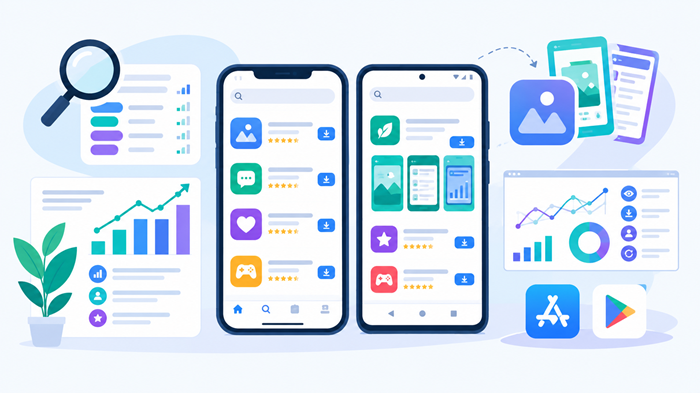
Publishing an app on Google Play or the Apple App Store is only the beginning. With thousands of apps competing for attention, businesses need effective strategies to improve visibility, attract relevant users, and increase downloads. This is where app store optimization becomes essential.
A well-planned strategy combines keyword research, compelling app descriptions, attractive visuals, positive user experiences, and performance tracking. Although iOS and Android share similar optimization goals, each platform has unique requirements that influence how apps appear in search results and convert visitors into users.
Key Takeaways
-
Improve app visibility with relevant keywords and optimized metadata.
-
Customize listing strategies for iOS and Android marketplaces.
-
Increase downloads through engaging visuals, ratings, and clear descriptions.
-
Track performance regularly to improve conversions and organic growth.
1. Understand What App Store Optimization Means
App store optimization is the process of improving an app’s visibility and conversion rate within app marketplaces. It helps potential users discover relevant apps and understand their value before downloading them.
Businesses use this approach to strengthen organic acquisition, reduce dependence on paid advertising, and reach audiences actively searching for specific solutions.
The primary benefits include:
-
Improved visibility: Help relevant users discover your app.
-
Higher conversion rates: Encourage more visitors to install it.
-
Better audience targeting: Reach users whose needs match your features.
-
Sustainable growth: Build an organic acquisition channel over time.
Successful optimization requires continuous monitoring because user behavior, competitors, and marketplace requirements change regularly.
2. Conduct Effective App Store Optimization Research
Keyword research helps identify the search terms potential users enter when looking for apps. Instead of guessing which phrases might work, study search suggestions, competitor listings, audience needs, and available analytics.
Identify relevant keywords
Start with terms that describe your app’s main features, benefits, and target audience. For example, a budgeting app might target phrases related to expense tracking, savings goals, and monthly budgeting.
Evaluate keywords based on relevance, search popularity, competition, and the likelihood of attracting users who will install the app.
Avoid irrelevant or repetitive terms simply to increase visibility. Keywords should accurately reflect the app’s functionality and match user intent.
Analyze competing apps
Examine successful competitors’ titles, descriptions, screenshots, ratings, and feature positioning. Look for opportunities to communicate benefits that competing listings overlook.
Competitor analysis should help differentiate your app rather than encourage imitation.
Use reliable research tools
Apple App Store Connect and Google Play Console provide valuable performance information. Third-party app store optimization tools can also help monitor keyword rankings, analyze competitors, and evaluate listing performance.
Use estimates alongside first-party data to make informed decisions about which opportunities deserve attention.
3. Optimize App Titles and Descriptions
Metadata helps users understand an app’s purpose while supporting marketplace discovery. Clear, benefit-focused wording is more effective than awkward keyword repetition.
Create a descriptive app title
Choose a recognizable title that communicates the app’s identity and primary purpose. Include a relevant keyword when it fits naturally, while keeping the title concise and easy to understand.
Always follow the current character limits and metadata policies of the relevant marketplace.
Improve subtitles and short descriptions
Apple provides a subtitle, while Google Play offers a short description. These fields should explain the app’s primary benefit quickly.
For example, a productivity app might emphasize task organization, reminders, or team collaboration rather than relying on vague promotional claims.
Write a helpful full description
Explain what the app does, who it serves, and why users should consider installing it. Organize the description into readable paragraphs and highlight the most useful features.
Google Play considers description content within its store listing system, while Apple’s metadata structure works differently. Tailor the content to each platform instead of copying identical descriptions everywhere.
4. Understand the Differences Between iOS and Android
Both marketplaces aim to connect users with relevant apps, but their metadata fields, discovery systems, and testing features differ.
Optimize for the Apple App Store
Focus on the app name, subtitle, keyword field, promotional text, screenshots, and previews. Choose relevant terms carefully and use visual assets to communicate the product’s value.
Apple also offers product page optimization experiments for eligible developers, allowing them to test alternative listing treatments.
Optimize for Google Play
Prioritize the app title, short description, full description, and visual assets. Google Play provides store listing experiments that can help developers compare eligible variations.
Avoid keyword stuffing and ensure every listing element accurately represents the app.
Businesses researching the different types of mobile apps should consider how an app’s purpose influences its audience, keywords, category, and marketing strategy.
5. Improve App Icons, Screenshots, and Preview Videos
Visual presentation influences whether users explore a listing or move on to another option. Strong creative assets can communicate value quickly and improve conversion potential.
Design a recognizable icon
Use a simple, distinctive design that reflects your brand. Avoid excessive details and small text that become difficult to recognize on mobile screens.
Create benefit-focused screenshots
Show users what the app helps them accomplish. A fitness app might highlight workout plans and progress tracking, while a finance app could showcase expense summaries and budgeting features.
Arrange screenshots in a logical sequence, placing the most compelling benefits first.
Use preview videos strategically
A short preview can demonstrate important features and show how the app works. Introduce the strongest benefits early and avoid unnecessary opening sequences.
Accessible design also matters. Learn more about designing accessible mobile apps to improve readability, usability, and the experience for people with different accessibility needs.
6. Improve Ratings, Reviews, and User Trust
Ratings and reviews influence user confidence and provide valuable feedback about an app’s strengths and weaknesses.
Request feedback at appropriate moments
Ask users for reviews after meaningful experiences, such as completing a booking or finishing a lesson. Avoid interrupting onboarding or requesting feedback before users have experienced the app’s value.
Follow marketplace policies and never manipulate ratings or incentivize positive reviews.
Respond to reviews professionally
Address complaints respectfully and provide practical guidance. Monitor recurring issues involving bugs, confusing features, performance, or missing functionality.
Use this feedback to prioritize product improvements. A reliable, user-friendly app is better positioned to earn positive experiences over time.
7. Localize Listings for Different Markets
Localization involves more than translating descriptions. Successful listings reflect local search behavior, cultural expectations, and audience preferences.
Research local keywords
Users in different countries may describe the same feature differently. Research terms used in each target market instead of translating English keywords directly.
Adapt visuals and messaging
Adjust examples, terminology, currency, and measurements where appropriate. Ensure translated text remains readable and fits within screenshot layouts.
Measure results by region
Compare impressions, product page views, conversion rates, and downloads across markets. Use the findings to refine localized content and prioritize promising regions.
8. Track Performance and Test Improvements
Data helps identify which changes improve visibility and which encourage more users to install an app.
Monitor important metrics
Track these indicators to understand acquisition performance:
-
Impressions: How often the listing appears in relevant contexts.
-
Product page views: How many users explore the listing.
-
Conversion rate: The percentage of eligible visitors who install the app.
-
Organic downloads: Installs attributed to organic discovery.
-
Retention: How consistently users return after installation.
-
Ratings and reviews: Feedback about user satisfaction.
Businesses can learn how to measure mobile apps traffic with the right agency to establish a more structured approach to reporting and performance analysis.
Run controlled experiments
Test individual elements such as screenshots, icons, and descriptions when platform features allow it. Define the primary success metric before starting and allow enough time to collect meaningful data.
A visually appealing listing is not necessarily the best performer. Evaluate whether changes improve actual acquisition goals rather than relying on appearance alone.
9. Maintain Long-Term Growth Through Updates
Optimization is an ongoing process. Competitors introduce new features, user expectations change, and marketplace requirements evolve.
Review keyword performance, creative assets, conversion rates, and customer feedback regularly. Update listings when new data or product improvements justify a change.
The importance of app updates extends beyond marketplace presentation. Updates can fix bugs, improve security, enhance usability, and address user concerns.
Businesses should also budget for ongoing maintenance, analytics, and marketing. Understanding app development costs can help teams plan resources for both launch and long-term growth.
10. When Should You Hire an ASO Agency?
Managing optimization internally can work well for smaller apps with straightforward needs. However, competitive categories, multiple markets, and ambitious growth targets may require specialist support.
An app store optimization company can assist with keyword research, metadata improvements, competitor analysis, localization, creative testing, and performance reporting.
Before choosing a provider, evaluate its experience, reporting methods, understanding of your app category, and ability to explain its recommendations. Be cautious of guaranteed ranking or download promises because marketplace performance depends on multiple factors.
Combine ASO With Broader Digital Marketing
App discovery becomes more effective when supported by content marketing, paid advertising, social media, and other acquisition channels.
JNA provides a range of digital marketing services to help businesses strengthen their online presence and build strategies around their growth objectives.
For businesses preparing to launch or promote an app, an app store optimization agency can help connect app development considerations with marketplace readiness and ongoing visibility.
Professional app store optimization services may be particularly useful for businesses that need structured research, regular testing, and consistent reporting across multiple platforms.
Conclusion
Growing an app requires more than publishing it on a marketplace. Businesses need to understand search behavior, communicate benefits clearly, create compelling visuals, monitor user feedback, and measure results consistently.
By combining platform-specific strategies with continuous testing and a strong user experience, app store optimization can support better discoverability, improved conversion rates, and sustainable organic growth across iOS and Android.
Frequently Asked Questions
1. How long does app store optimization take to show results?
Initial changes may show results within weeks, but meaningful performance evaluation can take several weeks or months.
2. Is ASO different for iOS and Android?
Yes, the platforms have different metadata structures, discovery systems, and testing features that require tailored strategies.
3. Which keywords should an app target?
Choose relevant keywords that reflect the app’s features, user needs, search intent, and competitive opportunities.
4. Can ASO increase organic downloads?
Yes, effective optimization can improve discoverability and conversion rates, although specific download results cannot be guaranteed.
5. How often should an app listing be optimized?
Review performance regularly and update listings when analytics, user feedback, competitor changes, or new features reveal opportunities.